
Compress GIF Online

Compress GIF files and keep them moving. Free, private compression right in your browser.

Runs in your browserNo watermark

Drop GIFs here or choose files

Paste an HTTPS image URL

Automate GIF compression with the API or MCP

Use the REST API from scripts, or MCP when an AI client should start GIF compression jobs.

API and MCP jobs run in the cloud. The browser tool above keeps local GIF files on your device.

Start with 500 free API credits per calendar month. Verified Gmail sign-in and a security check are required; no card needed.

GIF compression examples: before and after

Compare the original and compressed animations below. Check small text, moving edges and gradients before choosing settings for your own GIF.

Interface animation

Flat colors and repeated backgrounds. Compare text and edges in both files.
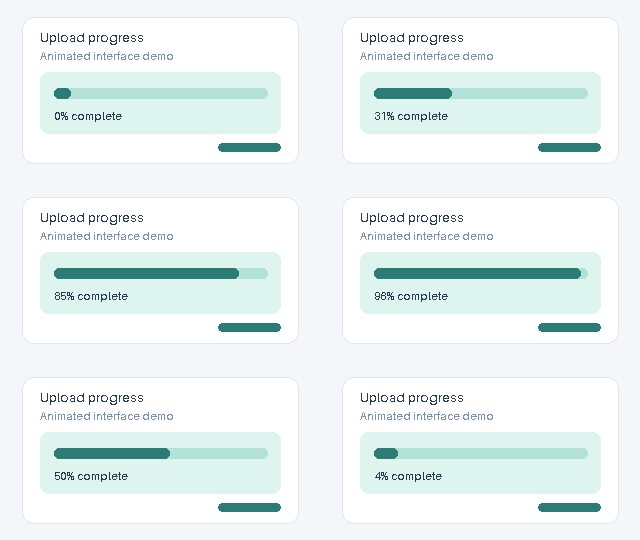
Original interface GIF with text, flat colors and a moving progress indicator

Original

5,938 bytes

Download original GIF
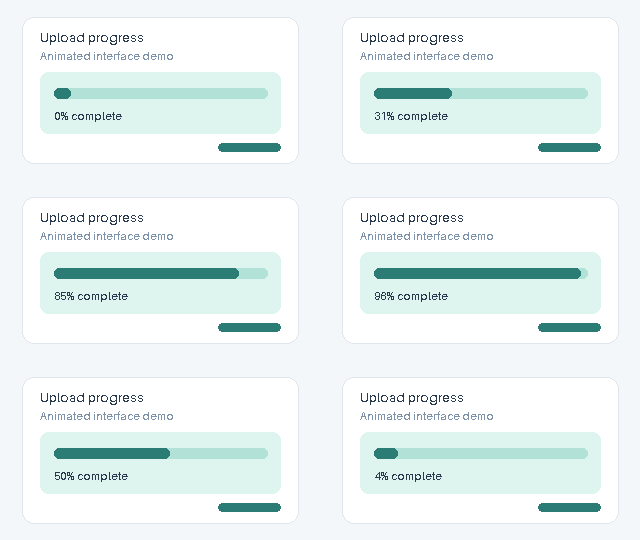
Compressed interface GIF with text, flat colors and a moving progress indicator

Compressed

4,666 bytes

Download compressed GIF
File size saved
21.4% (1,272 bytes)
Applied settings
Quality first · 256 colors · lossy level 0
Dimensions and playback
320 × 180px · 16 frames · 1.6 s

Original dimensions and frame timing retained.

Gradient animation

Many shades and a moving highlight. Look for banding or speckling after compression.

Original animated GIF with a color gradient and moving highlight

Original

393,536 bytes

Download original GIF
Compressed animated GIF with a color gradient and moving highlight

Compressed

377,182 bytes

Download compressed GIF
File size saved
4.2% (16,354 bytes)
Applied settings
Quality first · 256 colors · lossy level 0
Dimensions and playback
320 × 180px · 16 frames · 1.6 s

Original dimensions and frame timing retained.

These demo GIFs were created by us, compressed with this browser tool, and measured from the downloadable files. Both samples use structure optimization without lossy compression; stronger settings may change colors or fine detail.

Guide

Why your GIF is so big

GIF is an old animation format that stores motion as many indexed-color frames. A short screen recording can still contain hundreds of frames, repeated backgrounds, and palettes larger than the motion needs. Large dimensions, many frames and changing backgrounds all add data. Gifsicle reduces that data by optimizing unchanged areas, limiting the palette or allowing some color differences. The best setting depends on the animation: small text needs a different tradeoff from a video clip.

Three ways to compress GIF files

Start with Quality first for most GIFs. Default settings keep the original dimensions, frame timing and looping. Check small text, edges and gradients in the preview before trying stronger compression. Use Size first when a smaller file matters more than fine detail. It tries stronger palette and lossy settings. Choose Target size when you have a specific upload limit; this mode searches for a result below that limit but cannot promise it will fit.

Reduce GIF size with lossy compression

Lossy GIF compression can reduce file size by allowing color and detail changes. It often helps on textured, shadowed, or gradient-heavy animations. Push it too far and you may see speckling, banding, or blurred edges. Start with Quality first, preview the result, and switch to Size first only when the file still misses your limit.

Color reduction: best for UI clips and flat graphics

Screen recordings, logos, and interface animations often use far fewer than 256 useful colors. Reducing the palette to 128 or 64 colors can shrink them without changing the perceived design. Fewer colors can introduce banding in gradients or change subtle shades. Check text, brand colors and transparent edges at the size where the GIF will be viewed. If they look worse, keep more colors or return to the original.

Frame and transparency optimization

CompressGIF keeps all animation frames, frame timing and looping. Dimensions stay unchanged unless you choose to resize. Gifsicle can store only the pixels that change between frames. Static backgrounds and pauses may therefore need less data without speeding up playback. An already optimized animation may have little redundancy left to remove.

Compress GIF files to 1MB, 512KB, 256KB or 100KB

Select a free 100KB, 256KB, 512KB or 1MB preset before processing. Pro lets you enter another size in KB or MB for a specific upload limit. These are decimal units: 1MB means 1,000,000 bytes, not 1,048,576 bytes. Target size aims to fit your GIF within the chosen limit. If it cannot reach the target, you can download the smallest result the tool found, with a clear Target not met message. If compression does not make the GIF smaller, the original is kept.

Compress GIF files in batches

Drop up to 3 files on Free or 50 on Pro. Your browser processes them one at a time. You can cancel a file or retry it if it fails, without losing completed results. With Pro, download the completed files together as a ZIP, even if some files could not be compressed. Each batch can contain up to 200MB in total, with a limit of 10MB per file on Free and 50MB on Pro.

Compress GIF animations for chat, email and websites

For Discord and other chat apps, check the limit displayed for your account before choosing a target. Attachment limits can differ by account and change over time. For email, a smaller animation reduces download time, but compression cannot make every mail client play it. For a website, consider the displayed dimensions as well as file size. A wide source may be unnecessary in a narrow content column. Keep the default dimensions when detail matters; after a missed target, use the resize-and-retry option only if a smaller displayed GIF suits the page.

Before you compress GIF files

Keep the original until you have checked the downloaded result. Compare animation timing, transparent edges, legibility and the first and last frames. A smaller byte count is only useful when the animation still communicates what you need. If compression saves little, the input may already be optimized. When the chosen settings do not produce a smaller valid file, the original is kept. A missed target is shown explicitly; try a less demanding target, or use resize-and-retry only when a smaller displayed GIF suits the animation.

GIF compression plans

Compress a few GIFs free. Choose Pro for larger browser batches and custom target sizes, or Developer for more API credits and larger cloud files.

Pro monthly

For occasional batches and short projects.

$9.99/month

  • 50 files at a time in your browser
  • 50 MB per file
  • Custom target size
  • ZIP download

Pro annual

About $4.08/month.

$49/year

  • All Pro browser features
  • Save compared with monthly
  • Your selected files stay ready when you upgrade
  • Email support

Free

For a few GIFs at a time.

$0

  • 3 files per batch
  • 10 MB per file
  • 100KB, 256KB, 512KB, 1MB presets
  • Single-file downloads

Developer - $29/month or $278/year

Includes Pro and 5,000 credits each month: up to 5,000 GIFs of 5 MB or less in quality or size mode, or 2,500 in target-size mode. Unused credits do not roll over.

Free API access

500 credits per calendar month (UTC), no card required. Sign in with Google using a verified @gmail.com address and complete the security check to activate access. If the shared monthly capacity is used up, new free API jobs pause until the next month.

Get a free API key

How credits work

Input sizeQuality / size modeTarget modeAvailable on
≤5MB1 credit2 creditsFree API / Developer
>5MB, ≤20MB2 credits4 creditsDeveloper

Pro and Developer include browser-based video-to-GIF and GIF-to-MP4 conversion. Pro adds browser features; it does not add cloud credits. Developer includes Pro plus its own 5,000-credit monthly allowance. The free 500-credit allowance is not added on top.

How to compress GIF files in 3 steps

  1. 1Add GIF files by choosing, dragging, pasting, or importing a direct HTTPS image URL.
  2. 2Choose Quality first, Size first, or a target preset, then click Compress. Pro users can type a custom target size.
  3. 3Compare the sizes, savings and preview, check whether your target was reached, then download each GIF or a Pro ZIP.

FAQ

How do I compress GIF files to 1MB or 100KB?

Choose the 1MB or 100KB preset, then compress. Pro lets you enter a custom size in KB or MB. If the file is still too large, you can download the smallest valid result or try different settings. Check the preview for changes in quality.

Can I compress GIF files without uploading them?

Yes. The browser tool processes GIFs on your device after the page loads. REST API and MCP jobs are cloud processing paths: they upload a file or fetch a public HTTPS GIF URL.

Can I compress GIF files without losing quality?

Compression may change colors or fine detail. With default settings, Quality first starts with milder compression; Size first and Target size may use stronger compression or fewer colors. Compare the preview and applied settings before downloading.

Can I compress multiple GIFs at once?

Yes. Free handles 3 files per browser batch. Pro handles 50 files per batch, allows ZIP download, and keeps partial successes when one file fails.

What are the file size limits?

The browser tool accepts 10MB per file on Free and 50MB per file on Pro, with a 200MB total batch limit. Cloud API Free accepts 5MB inputs and Developer accepts 20MB inputs.

Can I compress GIFs for Discord?

Yes. Check the upload limit shown in your Discord account, then choose a matching preset or enter a custom target with Pro. Preview the result before uploading it to Discord.

Why does importing an image URL fail?

Use a direct HTTPS link to a GIF, not a page containing an image. Some hosts block browser requests from other websites. Download the GIF yourself and select the local file instead.

Why is the compressed file the same size?

An already optimized GIF may not have a smaller usable result with the chosen settings. In that case, the original is kept. You can try stronger compression or fewer colors, and after a missed target you can use resize-and-retry if a smaller displayed GIF is acceptable.